Follow one person's effective schedule, assigned Site, inherited or personal calendar, and exception impact.
01 · Scheduled work, explained
Know who is scheduled to work, where, and when
Work Schedule turns published working calendars, Site and Worker assignments, and append-only exceptions into one effective answer. It describes scheduled work — never attendance or physical presence.
One operational view from a moment to a month
Inspect Workers, Sites, or a Worker-by-Site Matrix in Day, Week, and Month views. Every interval retains its Site, local time, calendar source, breaks, and applied exception evidence.
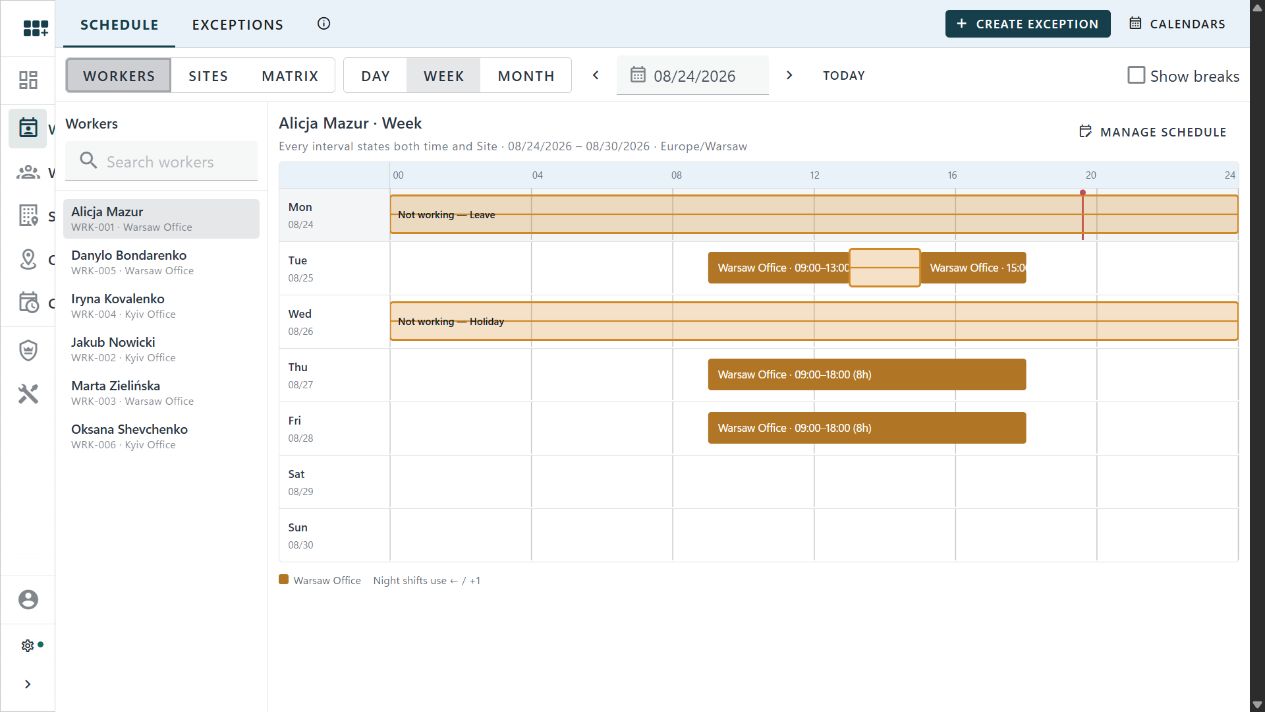
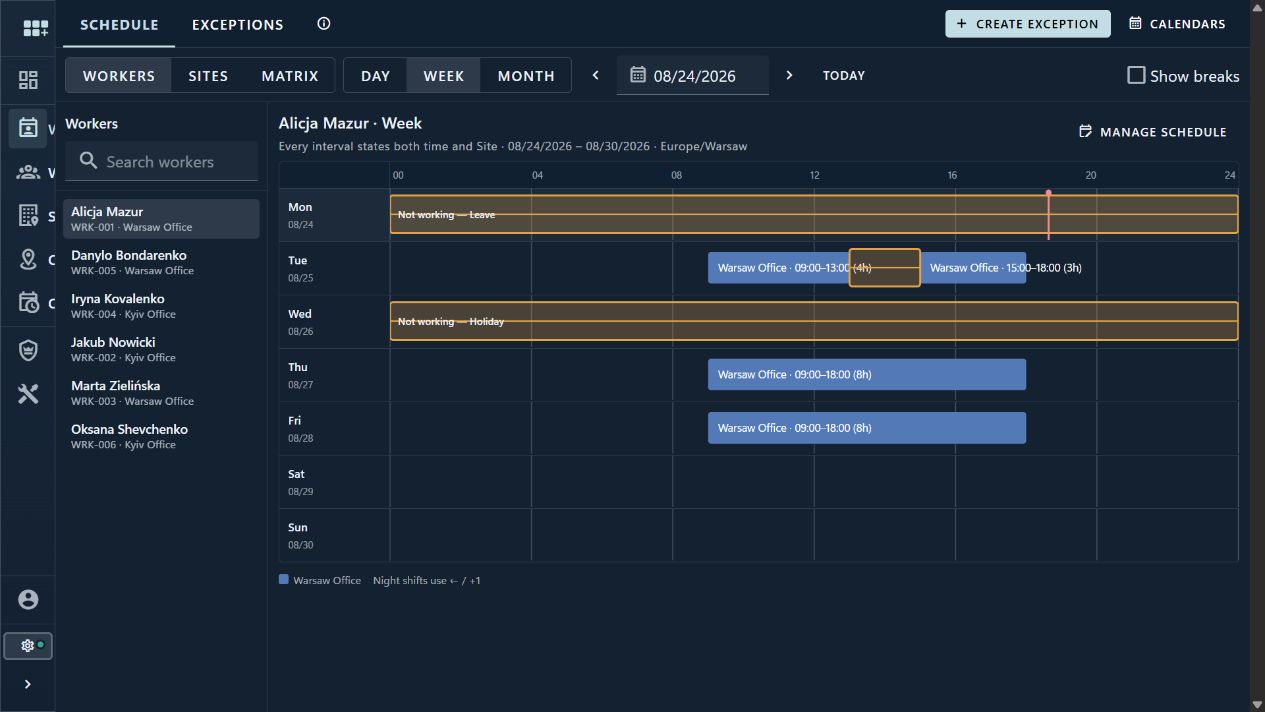
Read Site operating time in its governed local time zone without implying that employees are physically present.
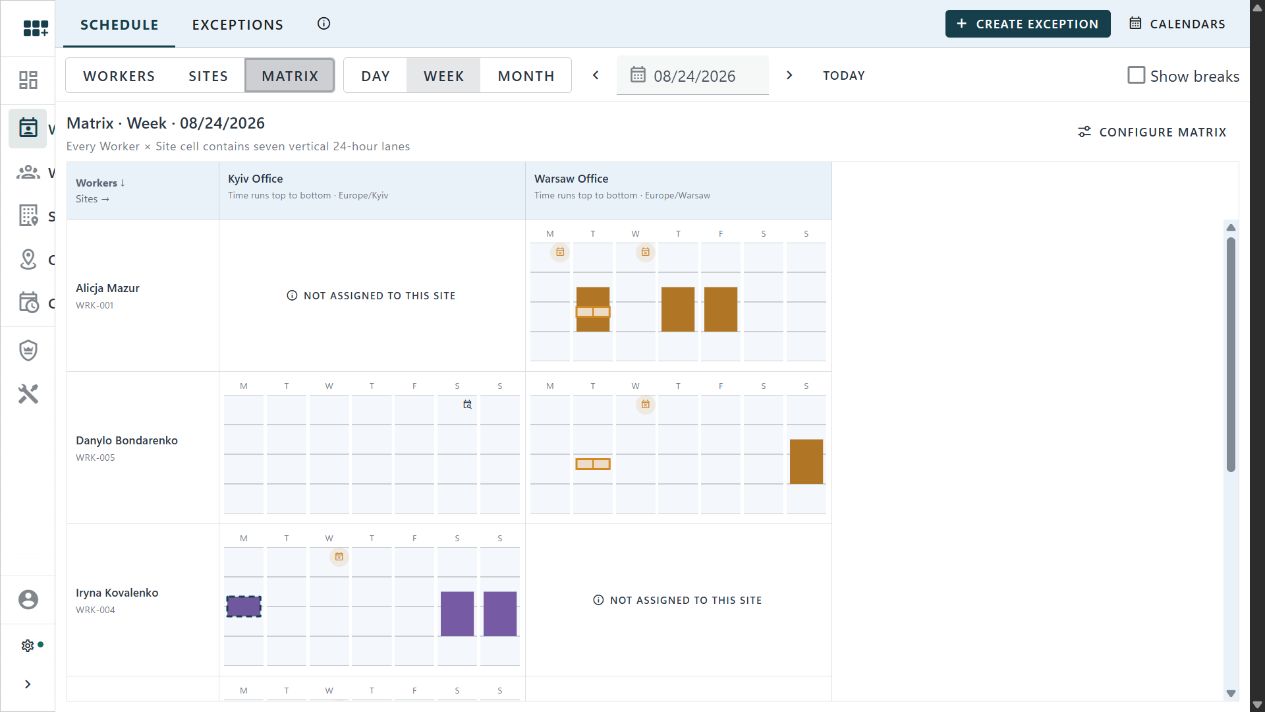
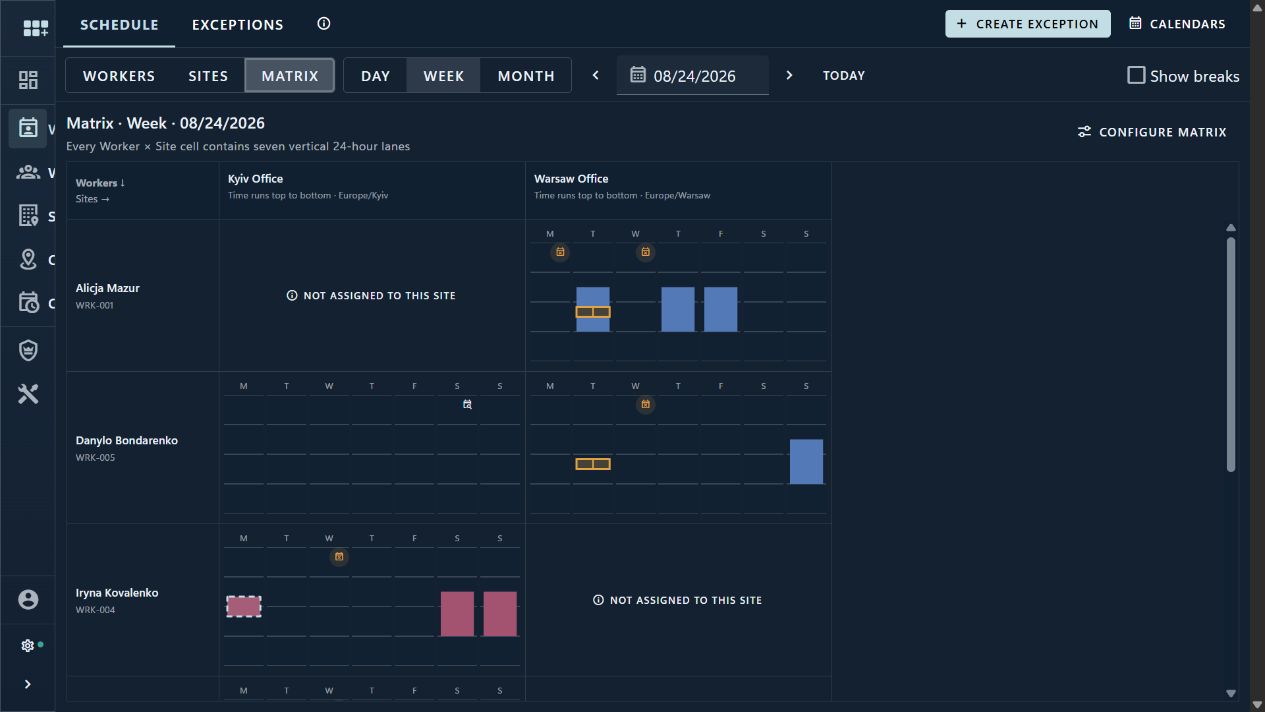
Compare authorized Workers and Sites across a week while unresolved assignments stay explicit instead of becoming empty time.
Publish patterns without rewriting history
A calendar is a stable identity with editable Draft work and immutable Published revisions. Future revisions can be scheduled or cancelled while historical answers remain reproducible.
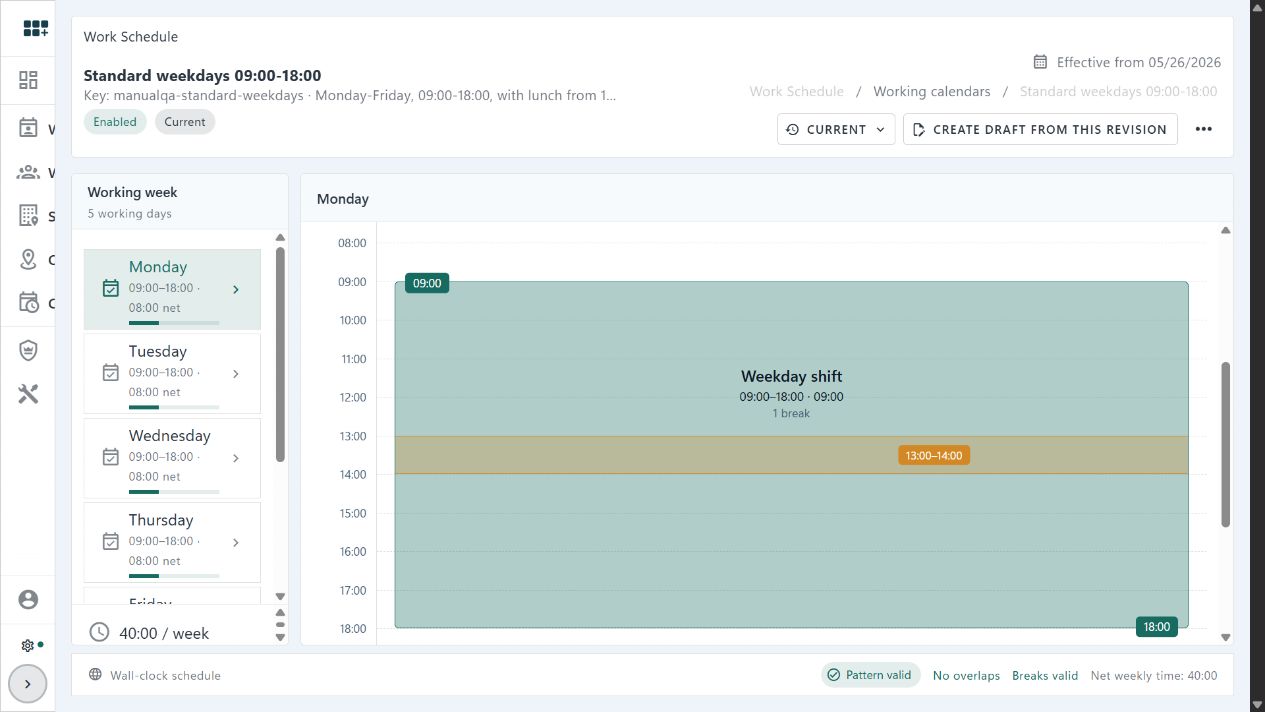
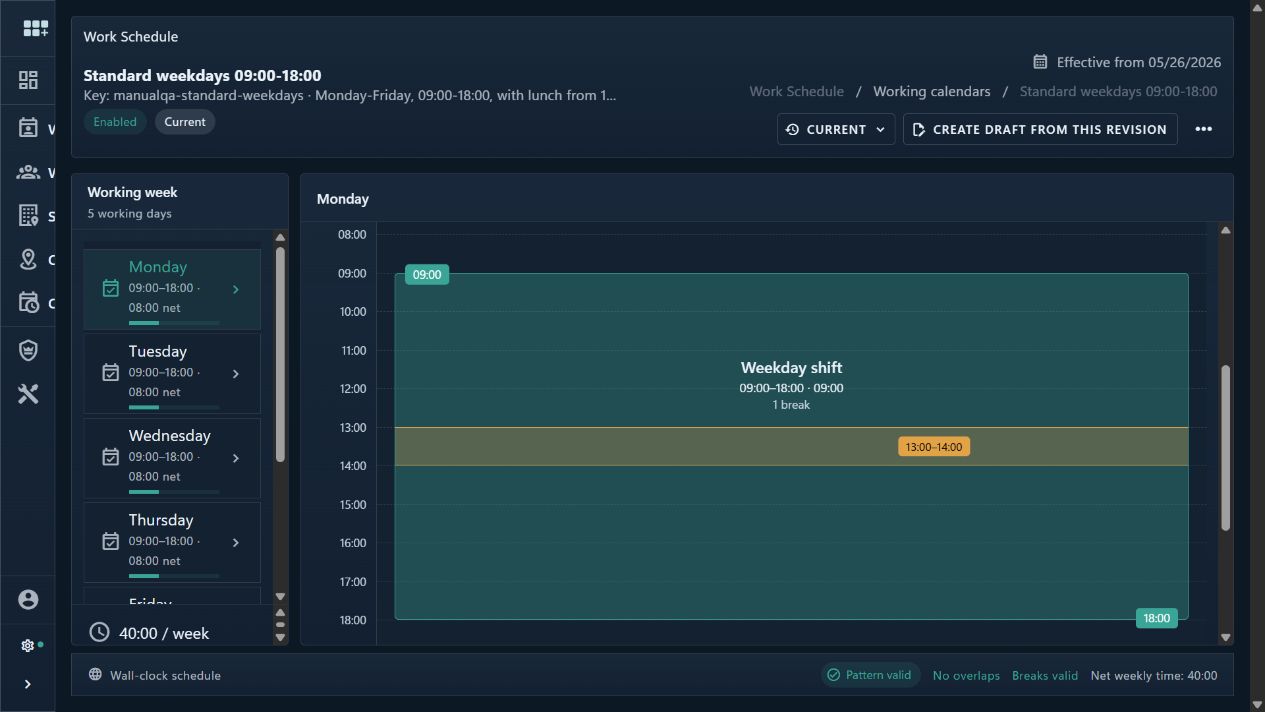
Patterns use local dates and wall-clock time. The consuming Site supplies the IANA time zone and DST policy.
Sites select a calendar over time. Workers select a Site and can inherit that calendar or use an explicit personal one.
Publishing freezes the revision. A later change starts a new Draft, preserving the evidence needed to explain past schedules.
Compare assignments and exceptions without losing context
Each cell keeps one Worker at one Site across the week. Ordinary hours, added or removed time, temporary moves, and explicit not-assigned states remain visible instead of being flattened into one total.
Every change remains attributable and deterministic
Assignments and exceptions append evidence instead of silently editing history. Access is scoped to the calendars, Workers, and Sites each actor may see or manage.
Remove or add scheduled time, or temporarily move a Worker to another Site, with a reason and exact local boundary.
Worker evidence overrides Site and Workspace evidence; removal wins over addition, then narrower and newer evidence resolves the segment.
IANA zones, local boundaries, resolved UTC instants, and DST diagnostics keep cross-zone work explainable.
Work Schedule permissions govern native scheduling aggregates while Worker and Site visibility continues to use ordinary record security.
Operate it, integrate it, or automate it with C#
The user guide explains the screens and setup. The developer guide covers the preferred Work Schedule automation services and the advanced trusted direct-database boundary.
Scheduled time, without pretending to be attendance or payroll
Shifts, crews, published rosters, attendance, time tracking, absence approvals, payroll, overtime calculation, capacity planning, and Worker-to-user association are outside Work Schedule V1.